My Google Reviews Are Missing! How Do I Get Them Back?



What to Do If Your Google Reviews Are Missing (And How to Fix It)
If you’ve ever searched “why is my Google review not showing publicly but I can see it” or “my Google reviews are missing today,” you’re not alone. There are others struggling with this same issue, and we're here to help you fix it. Missing reviews on Google Business Profiles are more common than most businesses realize—and they can impact both trust and rankings.
At Drumroll, we see this happen all the time. The good news? There are clear steps you can take to diagnose and fix the issue without making it worse. We know that reviews are like gold to small local business owners, so losing even one can lead to both stress and anger.
First, Understand What Might Be Happening
Before jumping into solutions, it’s important to identify which scenario you’re dealing with. Most cases fall into one of these:
1. The review was left… and now it’s gone
This is where people start searching things like:
- “Google reviews disappearing Reddit”
- “how to see deleted Google reviews”
- “Google reviews disappearing 2026”
In this case, the review was live at one point but has since been removed—usually by Google’s spam filters.
2. The customer left a review, but it hasn’t shown up yet
Common searches include:
- “why is my Google review not showing publicly but I can see it”
- “my Google reviews are missing iPhone”
This often means the review is still being processed or filtered temporarily. In Google's help center article, they specifically say: "Reviews are checked to ensure they comply with our policies. In some cases, this process might take a few days, which can delay a review's appearance on your profile."
We don't see this happening often, but it can.
3. The customer said they left a review… but you don’t see it
This leads to searches like:
- “report missing Google reviews”
- “my Google reviews are missing”
Sometimes the review was never fully submitted, was posted to the wrong business, or was immediately filtered.
Why Does Google Remove or Hide Reviews?
Google’s algorithm is aggressive about filtering reviews it considers suspicious. This can include:
- Reviews from new or inactive accounts
- Multiple reviews from the same IP/location
- Reviews that are overly long or appear heavily AI-generated
- Sudden spikes in review volume
- Activity after a profile reinstatement or verification
If you recently went through a suspension or reinstatement, it’s especially common to see “Google reviews missing after reinstatement.”
What You Should Do (Step-by-Step)
Step 1: Identify the Missing Reviews
If possible, compile a list of customers who left reviews that are now gone.
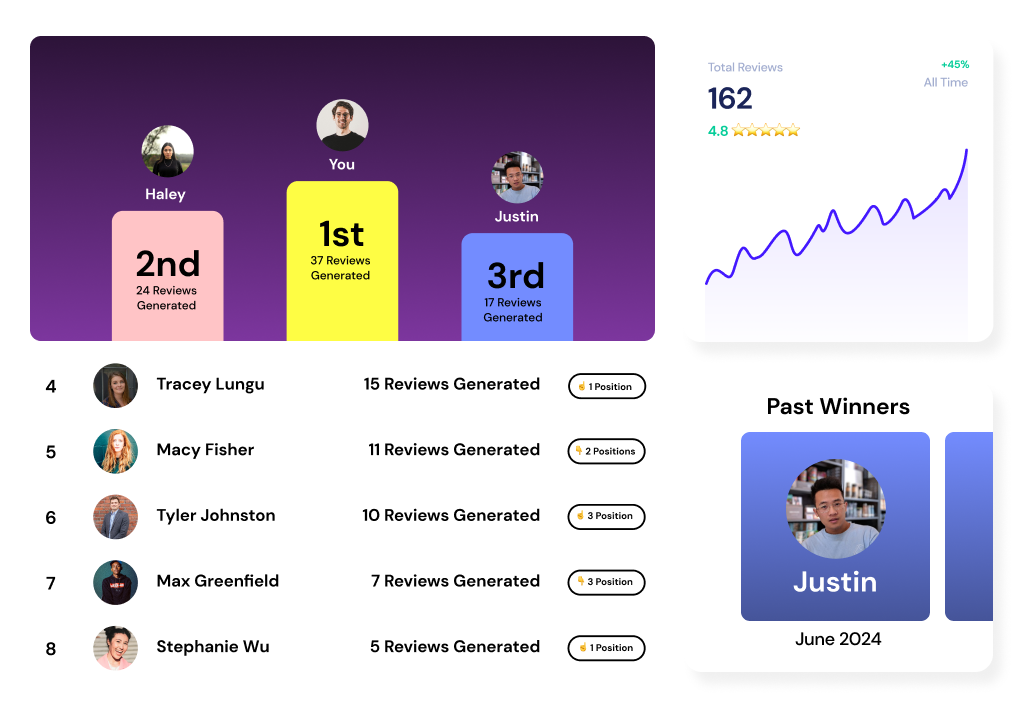
This is where Drumroll becomes incredibly useful—we help you track who left a review so you’re not guessing when something disappears.
Step 2: Submit Google’s Official Support Form
Report the issue directly to Google using their support form:
👉 https://support.google.com/business/answer/10313341?hl=en
Be as detailed as possible:
- Business name and profile
- Approximate number of missing reviews
- Names of reviewers (if you have them)
This is the only reliable way to trigger a manual review from Google.
Step 3: Do NOT Ask for Replacement Reviews (Yet)
This is where many businesses make things worse.
If you immediately ask customers to leave another review, you risk:
- Triggering additional spam flags
- Losing even more reviews
- Slowing down Google’s review reinstatement process
Wait until Google responds before taking further action.
Important: Ease Back Into Review Collection
If your profile was recently:
- Verified or re-verified
- Reinstated after suspension
- Hit with a sudden influx of reviews
You need to slow down.
Instead of pushing for a high volume of reviews right away:
- Space them out over time
- Encourage natural, authentic feedback
- Avoid scripted or AI-heavy responses
This helps rebuild trust with Google’s systems and reduces the chance of reviews being filtered again.
Final Thoughts
If you’re dealing with:
- “my Google reviews are missing today”
- “Google reviews disappearing”
- “why is my Google review not showing publicly but I can see it”
You’re not alone—and more importantly, you’re not stuck.
The key is to:
- Track your reviews proactively
- Report issues the right way
- Avoid triggering further filters
And if you want visibility into who actually left reviews (so you’re not guessing when they disappear), Drumroll can give you that edge.

Join the large list of small businesses using Drumroll!